
To withdraw USDT from Trust Wallet you need three things: the recipient's address, the correct network and a small reserve of that network's own coin to pay the fee. Without the third one the transfer will not go through, even with plenty of USDT on the balance.
Why USDT alone is not enough
USDT is a token, it has no network of its own. It lives on top of someone else's chain and pays that chain's network fee in that chain's coin: TRX on TRON, ETH on Ethereum, BNB on BNB Smart Chain.
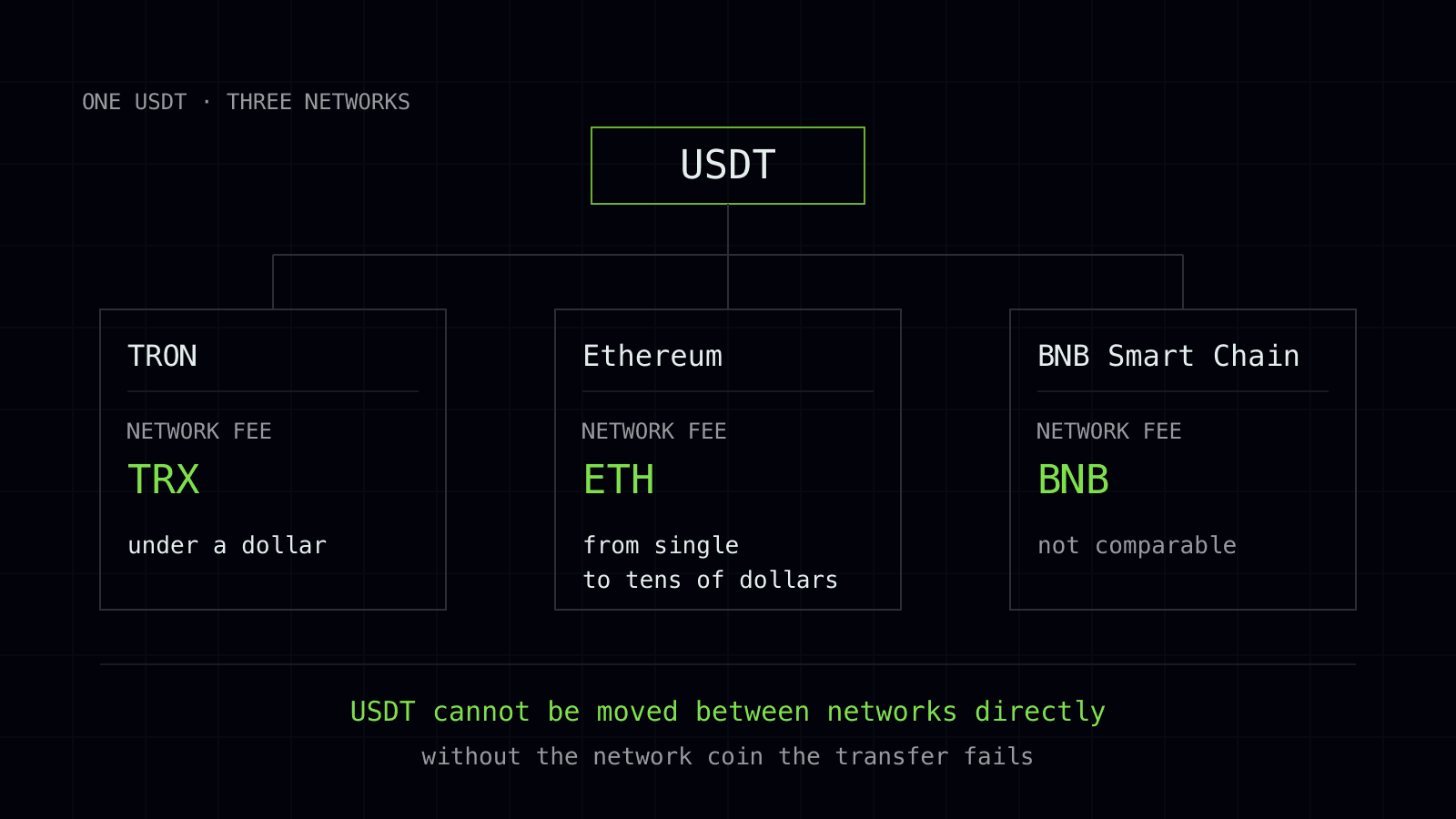
A wallet holding 500 USDT and zero TRX cannot send anything. This is the most common reason behind the complaint «the money is there but the button does nothing». Keep 15–20 TRX on hand: a single transfer eats about six.
Which network to choose
The one the recipient accepts, and that is a requirement, not a suggestion. The same USDT exists on several networks, and it cannot be moved between them directly.
If the recipient accepts several, check the price before sending instead of going by memory — it has changed. A transfer on TRC20 costs about two dollars in autumn 2026, and that price holds steady because the network charges in TRX for energy. On ERC20 it is usually cheaper right now, but gas there swings tenfold within a month and at a busy hour the transfer costs more.
The order of steps
Open USDT in your asset list and pick the network you need: in Trust Wallet these are separate rows, «Tether USDT» tagged TRON, BNB Smart Chain and so on.
Tap «Send» and paste the recipient's address. Never type it by hand: one wrong character and the funds are gone, because the network does not check whether an address has an owner.
Compare the first and last four characters of the address after pasting. Some malware swaps the address in the clipboard for a lookalike, and the only way to spot the swap is at the ends of the string.
Enter the amount and confirm. The wallet shows the fee before sending, and if it says you cannot cover it, top up the network coin.
Three mistakes that cost money
The network is chosen on your side but never checked on the recipient's side. A matching «USDT» ticker is not enough, the network has to match too.
The address is taken from old correspondence. Exchanges and swap services issue addresses for a limited time, and a transfer to an address that has been released will hang.
The memo or tag is forgotten. USDT on TRON and Ethereum does not need one, but if you send another coin, TON or XRP for example, to an exchange, the payment will not find its owner without that marker.
How to check that the transfer went out
The transaction details contain a transaction hash. Paste it into the search box of the right block explorer, tronscan for TRON, etherscan for Ethereum, and you will see the status.
«Success» but the recipient sees nothing means the funds landed somewhere else: check the address and the network. «Pending» means your fee is below the current rate and you have to wait. «Failed» means the transfer never happened and the funds are still yours.
A test transfer
For an unfamiliar address, send a small amount first and wait for it to arrive. On TRON such a check costs cents and removes almost all the risk, which is cheaper than any mistake.